My Ongoing Projects And My Dell Optiplex 3050 Micro HomeLab. I Join AI Hackathon too!
My wife has been asking me what I actually want to do with the Dell Optiplex 3050 Micro SFF sitting on my desk.
Fair enough.
Aligned with my goal of transitioning my career into IT, I finally made up my mind to turn it into a Proxmox server. With an Intel i3-6100T CPU, 16GB DDR4 RAM, and 500GB SSD storage, I believe this little machine still has the necessary power to serve as my home lab.
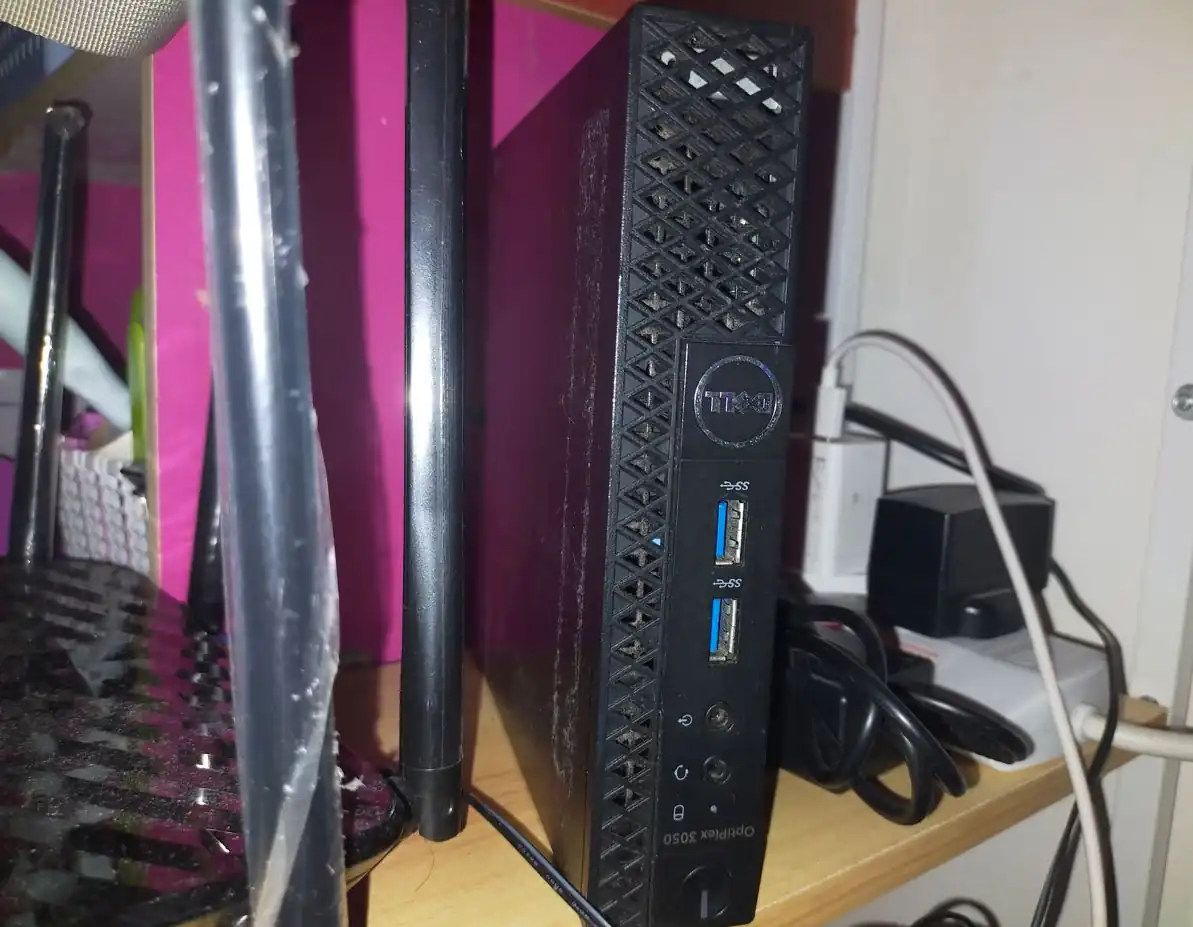
I want my home lab to become more than just a hobby. It’s my “sandbox”, a place where things break, get rebuilt, and (sometimes) actually work. It’s where I can my hands dirty. I don’t want to apply for IT jobs and give them only my certificates as proof; I want them to see that I get my hands dirty in my free time.
It feels like there is always something to build or break, so I’m using this post to document the chaos and the progress. There is a lot of ideas and projects that I wanted to try and run, but let’s do it one at a time.
So here’s a rundown of everything I’ve been juggling these past few weeks.
1. Infrastructure & Optimization
- The Blog (paralltec.com & ubipanas.com): I’ve always enjoyed writing, so I currently run two blogs. I want them to run efficiently alongside each other on the same VPS. I currently have two VPS servers, and I have been migrating both sites to test resource management, caching layers, and server hardening. It’s all about finding that balance between security and resource efficiency. I am currently in the middle of hardening the web server and deciding which VPS will house each site.
- Proxmox & Pi-hole: This is the backbone of the lab. Proxmox manages the VMs/LXCs, while Pi-hole ensures the entire network is filtered and acts as the DNS server for my local network.
2. The Observability Stack (Monitoring)
My goal here is total visibility. If something in my network goes down, I want to know why immediately.
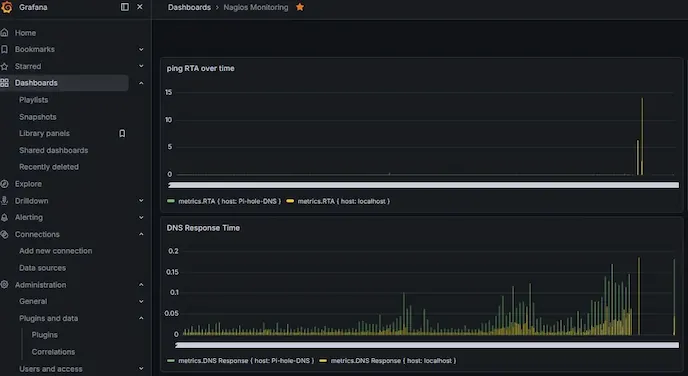 Nagios & Zabbix: I’m running both to compare how they handle alerts and data collection. It’s been a great exercise in understanding different agent-based monitoring architectures. I am currently setting this up across all my servers, including the VPS.
- Grafana: This is where it all comes together. Getting Nagios and Zabbix data to visualize in Grafana wasn’t just about “getting it working” it was about learning how to query APIs and handle data flows.
3. Networking & Connectivity
A lab is only as good as its ability to talk to the world (and to itself).
- WireGuard & Tailscale: I’m currently architecting a secure tunnel between my home lab and my cloud VPS. WireGuard is my focus for site-to-site connectivity, while I’m testing Tailscale to handle mobile/remote access.
- The Gateway Strategy: I will likely isolate WireGuard into its own dedicated VM for security purposes, creating a “choke point” for all incoming traffic to keep my network secure.
4. The Big News: AI Hackathon
While managing the lab, I also dove headfirst into an AI Hackathon.
- The project prototype concept aimed at protecting security engineers from the common fraud / scam up to social engineering. It’s one thing to run a server in a lab; it’s another to build a tool that solves a real-world cybersecurity problem. The project prototype front-end is hosted here: https://shieldai.paralltec.com/
Why I Do This
I don’t want to be the cert guy. I want to get my hand dirty. It’s also fun setting up all this while learning news thing.
I’m currently managing this all alongside my transition out of customer service. If you’re also building a home lab, I’d love to hear what stack you’re running. let’s connect in the comments.